
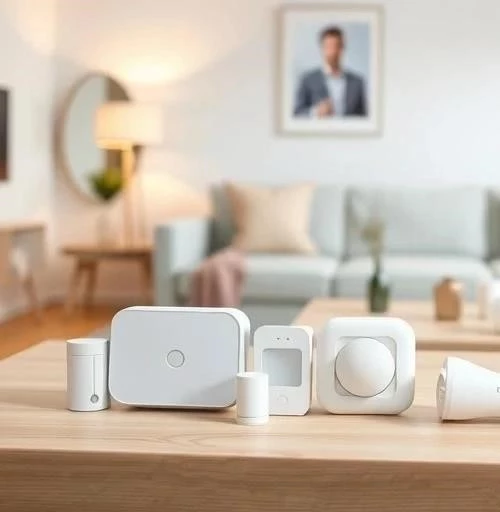
A Xiaomi smart home is a collection of connected devices managed through an app and, where supported, a central hub․ It can begin with one smart bulb or sensor and expand over time․ Before buying equipment, decide which everyday tasks you want to automate, such as controlling lights, receiving a door alert, or adjusting the temperature․ The right components depend on those goals, your home’s layout, and device compatibility․
A phone and the Xiaomi Home app
Start with a smartphone or tablet that can run the Xiaomi Home app․ The app is used to add devices, configure settings, check status, and create automation rules․ Create an account and select the correct country or region during setup․ Availability and app features can vary by region, so check that each product can be added to the same regional account before purchasing․ A device intended for one market may not work with an account set to another․
A reliable Wi-Fi network
Many Xiaomi smart devices connect directly to Wi-Fi, so a stable home network is essential․ Check the instructions for each product: some devices require a 2․4 GHz network, and a combined 2․4/5 GHz network may need specific router settings during setup․ Place the router where it can provide coverage to the devices, particularly sensors or lights located far from it․ A weak signal can cause delays, failed setup, or devices appearing offline․
Keep the Wi-Fi name and password available when adding equipment․ If you change either later, some devices may need to be connected again․ For a larger home, consider improving coverage with an access point or mesh system before adding many wireless products․
A hub, when the device requires one
Some products connect directly to Wi-Fi or Bluetooth; others use a hub to communicate with the network․ Depending on the model and its supported protocols, a hub may be needed for sensors, switches, or other low-power devices․ It can also help coordinate local automations․ Do not assume that every Xiaomi device uses the same connection method: check the product specifications and the hub’s supported devices and protocols․
Place the hub in a central location, within range of its connected devices and the router․ A hub is not automatically required for every Xiaomi smart home, and buying one before checking compatibility can lead to unnecessary expense․
Devices that match your needs
- Smart bulbs: Offer app-based switching, dimming, and, on some models, colour adjustment․ Confirm the bulb fitting and whether the existing wall switch must remain on․
- Sensors: Motion, door and window, temperature, or humidity sensors can report changes and trigger compatible automations․ Check whether they need a hub․
- Smart plugs: Let you switch certain appliances remotely or by schedule․ Observe the plug’s rated load, and do not use it for equipment that must not be interrupted․
- Switches and buttons: Can provide physical control or trigger scenes, but wiring requirements and compatibility differ by model․
- Other equipment: Cameras, air purifiers, climate products, and robot vacuums may be managed in the app if the specific model and region are supported․
Setup and automations
Install the app, sign in, and add one device at a time by following its on-screen instructions․ Give each item a clear name and assign it to a room․ Test manual control before creating automations․ A rule commonly combines a trigger, such as motion detected, with an action, such as turning on a light․ Schedules, device status, and conditions may also be available, depending on the products and app version․
Begin with simple rules and test them in normal household conditions․ Consider what should happen when a device loses power or the internet is unavailable․ Some actions may depend on cloud access, while others may run locally; check the product details rather than assuming all automations behave alike․
Security, privacy, and planning
Use a strong, unique password for the account and enable additional account protections when available․ Keep the app, router, and device firmware updated․ Review permissions, shared users, camera settings, and notification preferences․ Place cameras thoughtfully and avoid recording areas where people expect privacy․ A separate guest network may help organize connected equipment, if your router supports it․
Before buying, make a short list of the functions you need, verify regional availability, connection type, hub requirements, and power or installation needs․ Expand gradually and label devices clearly․ In practical terms, a basic setup needs a compatible phone, the Xiaomi Home app, reliable Wi-Fi, and at least one supported device․ A hub is an additional requirement only for products that depend on one․ This approach keeps the system manageable and reduces compatibility surprises․

6 Comments. Оставить новый
The advice to check each product’s regional availability before purchasing is a helpful detail for prospective users.
The article clearly outlines the main considerations for starting a Xiaomi smart home, especially device compatibility and regional account settings.
The explanation of Wi-Fi requirements is useful and highlights practical issues that can affect setup and reliability.
The discussion of network coverage makes the setup guidance relevant to homes where devices may be far from the router.
The article distinguishes between devices that connect directly and those that may need a hub, helping readers plan their equipment.
The article takes a gradual approach, showing how a smart home can begin with a small number of devices and expand over time.