
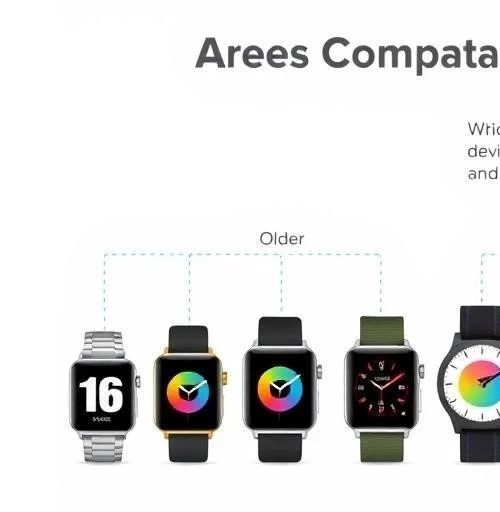
watchOS 9 is compatible with Apple Watch Series 4 and newer models in the product lines available when the software was released. It arrived in 2022, adding features such as redesigned watch faces, enhanced workout tracking, medication reminders, and sleep-stage tracking. If you are checking whether a particular watch can run it, the key cutoff is straightforward: Apple Watch Series 3 and older are not supported.
Apple Watch models compatible with watchOS 9
- Apple Watch Series 4
- Apple Watch Series 5
- Apple Watch Series 6
- Apple Watch Series 7
- Apple Watch Series 8
- Apple Watch SE (1st generation)
- Apple Watch Ultra (1st generation)
This list describes models that can install watchOS 9; it does not mean every feature is available on every watch. Some functions depend on the model’s hardware, region, language, or other requirements. For example, features that use particular sensors cannot work on a watch that does not have those sensors.
Models that cannot install it
Apple Watch Series 3, Series 2, Series 1, and the original Apple Watch do not support watchOS 9. Series 3 is a common point of confusion: it can run earlier watchOS releases, but Apple left it out of the watchOS 9 compatibility list. A compatible iPhone or a software update cannot overcome this hardware limitation.
What you need to install watchOS 9
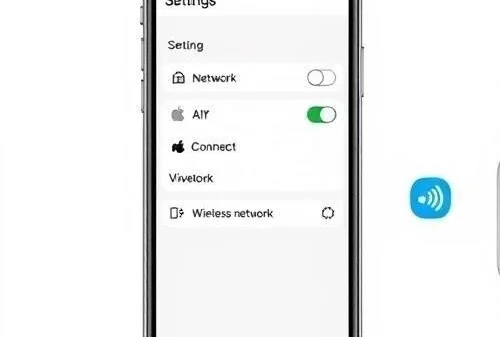
A compatible watch alone is not the whole requirement. Apple’s launch requirements called for an iPhone 8 or later running iOS 16 or later to use watchOS 9. The iPhone is used to pair the watch and manage its software. In practice, make sure your iPhone supports the iOS version needed for the update and that the Watch app recognizes the model.
Before updating, connect the iPhone to Wi-Fi, place the Apple Watch on its charger, and make sure it has enough battery. Keep the watch near the iPhone while the update downloads and installs. The process can take a while, so it is sensible to start when you do not need to wear the watch. Backing up your iPhone also helps protect your information.
How to check your Apple Watch model
- On the watch, open Settings.
- Tap General, then About.
- Look for the model name or model number. You can also check the paired watch in the iPhone’s Watch app under General and About.
If the model number is shown instead of the name, tap it to display the model identifier. Compare the resulting model information with Apple’s identification guide if you are unsure which generation you own. The case design alone may not be enough to distinguish two generations.
Does compatibility mean watchOS 9 is the latest option?
No. Compatibility means that the watch can run watchOS 9, not that this is the newest software it can use. Apple has released newer watchOS versions since 2022, and supported upgrade paths depend on the specific watch and its hardware. If your goal is to update today, check the latest version offered in the Watch app rather than assuming watchOS 9 is the final release for your model. A watch may be eligible for a newer release, while another model may be limited to an earlier one.
Also distinguish between installing a release and receiving every feature in it. Apple sometimes reserves certain capabilities for newer devices, and feature availability can vary by country. If a feature is missing after an update, check its device and regional requirements before concluding that the installation failed.
Quick answer
watchOS 9 supports Apple Watch Series 4, Series 5, Series 6, Series 7, Series 8, Apple Watch SE (1st generation), and Apple Watch Ultra (1st generation). It does not support Series 3 or older. Check your exact model and paired iPhone before updating, and remember that watchOS 9 is a historical release—not necessarily the newest version available for a compatible watch.

3 Comments. Оставить новый
The article gives useful practical advice for preparing to update, including keeping the watch charged and near the iPhone.
The compatibility list is clearly laid out, and the distinction between supported models and feature availability is especially helpful.
I appreciate the clarification about Series 3. It addresses a common point of confusion without making the requirements difficult to follow.