
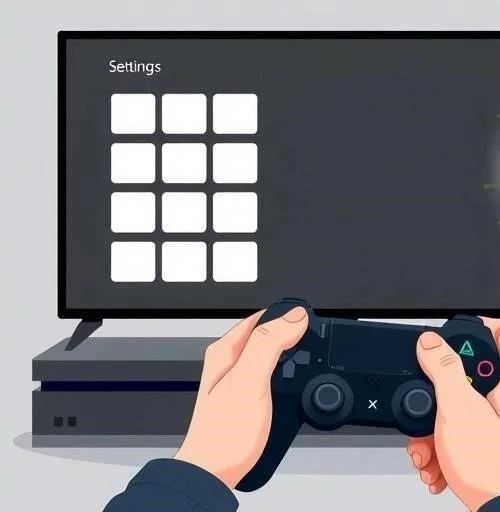
On a PlayStation 4, “region” can refer to several different things: the country linked to a PlayStation Network (PSN) account, the country of the PlayStation Store, the console’s language, or the region of a game disc. These are not interchangeable. The most important point is that Sony does not normally let users change the country or region of an existing PSN account after it has been created. Changing the console’s language or location settings does not change the account’s Store region.
If you have moved to another country or need access to a different regional Store, the usual option is to create a separate PSN account for that country. Before doing so, consider what will happen to your purchases, subscriptions, wallet balance, saved data, and trophies. This guide explains the available options and the limitations to check before making a change.
Can you change the country on an existing PSN account?
In general, no. The country or region selected when a PSN account is registered is tied to that account. It determines which PlayStation Store the account uses and is also associated with account details such as the billing address and available payment methods. Changing the PS4’s system language, time zone, or physical location will not change this information.
There is no standard setting on the PS4 that converts an account from one country to another. If the country selected during registration was incorrect, or you have since relocated, contact PlayStation Support for guidance. Support options and policies can vary by country, and a support representative may not be able to transfer the account or its content to another region. Do not assume that creating a new account will move existing purchases or account data.
What you can change, and what you cannot
- Console language: You can change the language displayed in the PS4 menus. This affects the console interface, not the account’s country or Store.
- PSN account country: The country assigned at account creation generally cannot be edited later.
- Store region: The Store is determined by the PSN account’s country. A different account registered in another country uses that country’s Store.
- Payment method: Payment options are region-dependent. A bank card or billing address from a different country may not be accepted by the account’s Store.
- Game-disc region: Disc compatibility depends on the game and console, but downloadable add-ons and game versions can have region-matching requirements. Check the specific product before buying.
Option 1: Create a new PSN account for another country
If you need to use a different regional Store, you can create another user on the PS4 and register a new PSN account with the intended country selected during sign-up. The new account will be separate from your original one. Its Store, wallet, purchases, subscriptions, friends list, and account profile will be managed independently.
Before you start
- Use an email address that is not already linked to another PSN account. Each account needs its own sign-in email.
- Choose the intended country carefully. The country selection is generally permanent for that account.
- Use accurate registration information and follow Sony’s terms and local requirements. A false address can cause payment, verification, or account-recovery problems.
- Check which payment methods the regional Store accepts. Payment cards are often expected to match the account’s country.
- Make sure you can access the email inbox, because account creation or later security checks may require verification.
- Review the local Store’s currency, prices, product availability, age ratings, and subscription terms before adding funds or purchasing content.
Create the account on a PS4
- Turn on the PS4 and choose New User on the user-selection screen. If you are already signed in, you may need to return to that screen or select Power and then Switch User.
- Select Create a User and accept the relevant terms when prompted.
- Choose the option to create a new PlayStation Network account. The exact wording can differ slightly depending on the system software version.
- Enter the requested details. When the registration form asks for a country or region, select the country whose Store you intend to use. Check the selection before continuing.
- Enter a date of birth and other required details accurately. Age restrictions may affect account features and access to content.
- Provide an email address and create a sign-in ID and password. Follow the instructions sent to the email address to verify the account if requested.
- Finish the setup and sign in to PSN with the new account. Open the PlayStation Store to confirm that it displays the expected country, currency, and catalog.
Menus and sign-up steps can change with software updates. If account creation is not offered on the console or a page fails to load, use the official PlayStation account-creation website for the chosen country, then sign in to that account on the PS4. Use official Sony services and support pages rather than third-party account sellers.
Use the new account on the same PS4
After creating the account, you can switch between it and your original user from the PS4 user-selection screen. Each user signs in with their own PSN credentials. Be careful to select the correct user before opening the Store, redeeming a code, or making a purchase: purchases and wallet funds are applied to the account currently signed in and are not automatically moved to another account.
You may be able to set the console as the new account’s primary PS4. While signed in to that account, go to Settings > Account Management > Activate as Your Primary PS4 > Activate. A primary PS4 can allow other local users on that console to access certain content and benefits belonging to the account, subject to Sony’s current rules and the publisher’s restrictions. An account can have limits on primary-console activation, so check the on-screen instructions if activation is unavailable.
What happens to your existing purchases and data?
Creating a new account does not transfer the library, wallet, subscription, friends, trophies, or saved data from the old account. These remain associated with the account that originally obtained or created them. Sign in to the original account when you need to manage its purchases or account details.
- Digital games: A game is normally licensed to the account that purchased it. On a PS4 activated as that account’s primary console, other local users may be able to play eligible downloaded games, but this does not make the new account the owner. Online checks, license rules, or publisher restrictions may apply.
- DLC and add-ons: Add-ons often need to match the region or product version of the base game. A disc bought in one region may not work with downloadable content from another region. Check the game’s product information and disc code before purchase.
- Wallet balance: Funds are tied to the account and Store region where they were added. They generally cannot be transferred to a different account or converted into another region’s currency.
- Subscriptions: PlayStation Plus and other subscriptions belong to the account on which they were purchased. Benefits available to other users on a primary PS4 can differ, and subscription terms may vary by country. Check the current terms for the relevant region.
- Trophies: Trophies are linked to the PSN account that earned them. They cannot normally be moved to a new account or merged with another profile.
- Saved data: Save files are associated with the local user and, in some cases, the account or game edition. They may not be usable by a different PSN account. Back up important saves and confirm compatibility before switching profiles.
- Friends and messages: Friends lists and other account-specific information do not automatically carry over. You may need to add contacts again on the new profile.
Before buying a game or add-on from another Store, confirm which account will own it and which version of the game you use. A lower price or different catalog does not guarantee that the content will work with a disc, save, or DLC from another region.
Changing the PS4 language is not changing its region
If you only want the console menus in another language, change the system language instead of creating another PSN account. On the PS4, open Settings > Language > System Language and select an available language. The exact list depends on the console software and region. This setting changes the interface language; it does not change the Store country, account currency, or payment rules. A game may also have its own language options, and not every edition includes every language.
Using payment methods and redeeming codes
Regional Stores can have different accepted payment methods. A payment card issued in one country may be rejected by an account registered in another country, even if the card is valid. Billing-address checks and local payment regulations can also affect transactions. Check the payment options displayed by the relevant Store before attempting a purchase.
Wallet top-up cards and game codes are often region-specific. A code bought for one country or Store may not redeem on an account from another region. Read the code’s packaging or seller information and confirm the intended country before purchasing. If a code produces an error, check that the account’s country matches the code’s region and that the code has not already been redeemed. Do not share a code or account password with someone offering to redeem it for you.
Common problems and practical checks
The Store still shows the old country
Confirm that you are signed in to the new account, not the original one. The Store follows the account that is currently signed in. Changing the console language or restarting the PS4 will not convert the original account’s Store region.
The payment card is declined
Check whether the payment method is supported in the account’s country and whether its billing details match the card issuer’s records. If it is from another country, the Store may not accept it. Use payment options officially listed for that Store, and contact the card provider or PlayStation Support if the issue continues.
A voucher or wallet code will not redeem
Verify the country and region printed on the voucher, then compare them with the country assigned to the signed-in PSN account. Also check the code’s validity, entry accuracy, and redemption terms. A voucher from one Store is not necessarily valid in another.
An add-on does not appear in the game
Check that the add-on was purchased on the account you expect, downloaded, and installed. Then confirm that its region and game edition are compatible with the base game. If the base game is on disc, use its product code or packaging to identify the edition and ask the publisher or PlayStation Support about compatibility when necessary.
You cannot activate the PS4 as primary
Make sure you are signed in to the account whose content you want to share, and review the primary-console status for that account. The account may already have another primary PS4 or may have reached an activation limit. Follow the official deactivation and activation guidance; do not give your login details to someone who claims they can change the setting remotely.
Should you create a new account?
A second account may be useful if you have permanently moved and need a local Store, or if a specific product is available only in another country. It can also make sense when you want a separate profile for a different region and understand that its purchases and account history will remain separate. It is less suitable if your main goal is to move an established game library, wallet balance, trophies, or subscription: those items generally cannot be transferred.
Before deciding, compare the cost of maintaining separate accounts with the practical limits. You may need different payment methods, region-matched vouchers, separate subscriptions, and extra care when choosing which profile to use. Keep both accounts secure, use unique passwords, enable available security protections, and retain access to their email addresses.
Frequently asked questions
Will changing my PS4’s country setting change my PSN account?
No. The PS4 does not have a system setting that changes the country registered to an existing PSN account. System language and other console preferences are separate from the account’s Store region.
Can I keep playing games bought on my old account?
Often, eligible downloaded games can be played by other users on the PS4 when the purchasing account has activated that console as its primary PS4. Access is subject to licensing, network, and publisher conditions. The new account does not become the owner, and the original account may be needed to manage or restore the licenses.
Can I move my trophies or purchases to the new account?
They are generally tied to the account that earned the trophies or bought the content. Sony does not provide a routine method for merging separate PSN accounts or transferring their libraries and trophy records.
Can I use a VPN to change the Store region?
A VPN does not change the country registered to a PSN account and does not guarantee that payment or Store access will work. Do not rely on location masking to bypass account, payment, or service requirements. Use the account and payment options permitted by the applicable PlayStation terms.
What if I selected the wrong country during registration?
Contact PlayStation Support for the country associated with the account and explain the situation. If the account cannot be corrected, Support can clarify the available options. Avoid creating repeated accounts or entering fabricated details without first understanding the consequences for payments and recovery.
You generally cannot change the country or region of an existing PSN account on a PS4. The Store region is attached to the account, not to the console’s language or physical location. To use another regional Store, create a separate account and select its country carefully during registration. Keep in mind that purchases, subscriptions, wallet funds, trophies, friends, and some saved data remain associated with the original account, while payment methods, vouchers, and downloadable add-ons may have region restrictions. When in doubt, check the current PlayStation guidance for the relevant country before making purchases or changing how you use your accounts.


5 Comments. Оставить новый
The guidance avoids suggesting that existing purchases or account information can simply be transferred. This makes the limitations clear for readers considering a regional change.
The article clearly distinguishes a PSN account’s country from console settings and game-disc regions. Its explanation of the general account limitation is useful.
This guide gives a straightforward overview of why changing a console’s language or location does not change the PlayStation Store region. The reminder to contact support is appropriate.
The article is organized around a common question and explains the difference between account details and console settings in accessible terms.
The discussion of creating a separate account for another country is balanced, especially its caution about purchases, subscriptions, and saved data.