
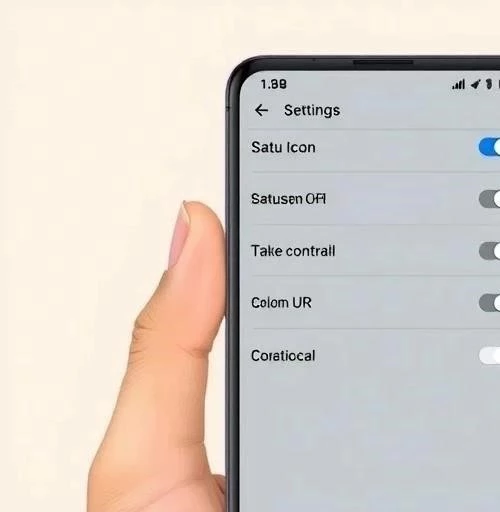
The strip at the top of a Xiaomi phone is a tiny noticeboard: battery‚ signal‚ Wi-Fi‚ alarm clocks‚ app alerts‚ and sometimes a parade of symbols you barely recognize. If it feels more like visual clutter than useful information‚ you can quiet it down. The trick is to decide which icons you want gone: notification symbols‚ system indicators‚ or app shortcuts on the home screen are controlled in different places.
Hide notification icons in the status bar
On many Xiaomi phones running MIUI or HyperOS‚ start here:
- Open Settings.
- Tap Notifications & status bar. On some versions‚ the menu is called Notifications & Control center.
- Choose Status bar.
- Turn off Notification icons or Show notification icons.
The wording and layout can vary with your model‚ region‚ and software version. If the setting is not immediately visible‚ use the search box in Settings and search for status bar or notification icons. This option usually hides the little app symbols at the top while leaving notifications available when you swipe down. Think of it as closing the noticeboard without throwing away the messages.
Keep alerts‚ lose only the noisy app symbols
If you want to hide icons from just one or two apps‚ avoid switching off every notification icon. Instead‚ open Settings > Notifications (or Notifications & Control center)‚ select the app‚ and inspect its notification options. Depending on the version‚ you may be able to disable status-bar display‚ change a notification category‚ or turn off that category entirely.
Choose carefully: disabling a category can also stop its sound‚ pop-up‚ or lock-screen alert. For example‚ you might silence a shopping app’s promotions but keep delivery updates. If Xiaomi offers separate categories‚ adjust the promotional one rather than muting the whole app. Menu names differ‚ so read each switch’s description before changing it.
Remove system indicators selectively
Some top-row symbols are not app notifications. They show things such as the alarm‚ Bluetooth‚ NFC‚ a VPN‚ or connection speed. Look again under Settings > Notifications & status bar > Status bar for individual controls. You may find switches for connection speed‚ battery display‚ or particular status icons. Turn off only what you recognize and do not need.
Not every Xiaomi version allows every system icon to be hidden. Some indicators are kept visible because they communicate an active feature or important phone state. If a symbol remains‚ check its meaning before trying to remove it: a VPN or location indicator‚ for instance‚ may be a useful privacy clue‚ not decoration. Tapping or long-pressing a notification can sometimes reveal which app is responsible.
Is it really a status-bar icon?
Icons near the top of the home screen can be confused with shortcuts or widgets. If the unwanted item sits below the status bar and stays in place as you move through menus‚ it may belong to your launcher layout. Long-press it and choose Remove if that option appears. Removing a shortcut does not uninstall the app; uninstalling is a separate action.
If the whole top strip is what bothers you‚ check Settings > Display or search Settings for full-screen display or notch. These controls can change how apps use the screen‚ but they are not the same as hiding individual notification icons. Full-screen mode may conceal the status bar temporarily inside an app; it may reappear when you leave that app or swipe.
When the setting seems missing
- Search Settings. MIUI and HyperOS reorganize menus‚ so searching is often faster than following an old tutorial.
- Check for updates. After a system update‚ a control may move or acquire a new name.
- Restart once. If a changed setting does not take effect‚ a restart can refresh the interface.
- Avoid mystery cleaner apps. They may request broad access and are rarely needed to manage the status bar.
Quick route: Settings → Notifications & status bar → Status bar → Notification icons. If you want a calmer screen without missing important messages‚ hide the general icon row only when appropriate‚ then fine-tune distracting apps individually. Your Xiaomi’s top edge should work like a discreet dashboard: essential signals in view‚ digital confetti out of sight.


1 Comment. Оставить новый
The “noticeboard” metaphor makes a tiny settings tweak feel like thoughtful decluttering rather than digital amputation. I especially appreciate the reminder to mute only noisy categories: a phone should be less like a town crier, not less like a lifeline.