
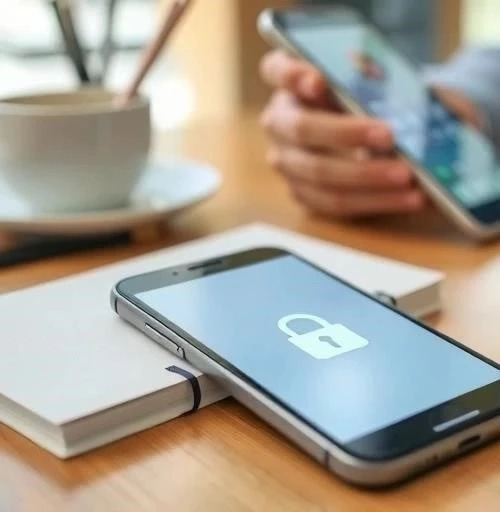
If your Xiaomi phone is missing, act promptly to protect your personal information and prevent unauthorized use. You may be able to locate it and remotely lock it through Google’s device-finding service or Xiaomi Cloud. The options available depend on your phone model, software version, region, account settings, and whether the phone can connect to the internet. If you cannot recover the device, contact your mobile carrier to suspend the SIM and ask about blocking the handset.
Try Google’s device-finding service
On most Xiaomi phones that use Google services, you can use Google Find My Device (called Find Hub in some versions or interfaces). For remote actions to work, the phone generally needs to be powered on, connected to the internet, signed in to a Google account, and set up for device finding. Location settings may also affect whether its position can be shown.
- On a trusted phone or computer, open Google’s official device-finding service or its app.
- Sign in with the Google account used on the missing Xiaomi.
- Select the missing phone from the list of devices. Check the displayed location and the time it was last seen, if available.
- Choose the option to secure or lock the device. Follow the on-screen instructions to set a screen lock or display a message and contact number, if those options are offered.
Menu names and available actions can vary. If the phone is offline, a lock request may remain pending until it reconnects. Do not travel to a location that may be unsafe. If the map points to a private residence or another sensitive place, contact local authorities instead of confronting anyone.
Try Xiaomi Cloud
If you signed in to a Xiaomi Account and enabled the Find device feature before the phone went missing, Xiaomi Cloud may offer another way to locate or secure it. Use Xiaomi’s official Cloud website, sign in with the account linked to the phone, and open the device-finding section. Select the missing device and review the available actions, such as locating it, making it ring, or enabling Lost mode. The precise wording and features may differ by region and software version.
If the phone is not listed, check that you are using the correct Xiaomi Account. Remote control may not be available if Find device was never enabled, the device was removed from the account, or it cannot connect to Xiaomi’s service. Avoid entering your password on links received in unsolicited messages; type the official website address yourself.
Secure your accounts and SIM
A remote lock helps protect access to the phone, but it does not replace other security steps. From a trusted device, change the passwords for your primary email account, Xiaomi Account, Google account, and any financial or social accounts that may be accessible on the handset. Start with the email account, since it can often be used to reset other passwords. Review recent sign-ins and sign out of sessions you do not recognize. If you use two-step verification, update recovery options and consider whether the lost phone was your only way to receive codes.
Call your mobile carrier as soon as practical. Ask it to suspend the SIM or eSIM so it cannot be used for calls, messages, or mobile data. Ask whether the carrier can issue a replacement SIM with your number and whether it can block the device’s IMEI. IMEI blocking rules and coverage differ between carriers and countries. Your carrier may request proof of identity, the phone’s IMEI, or a police report. If you have the box, purchase record, or account details, use them to find the IMEI; do not rely on an unverified website that claims it can track a phone by IMEI.
Decide whether to erase the phone
Remote erase is a last-resort option if you believe the phone will not be recovered or it contains sensitive information at serious risk. Read the service’s warning before confirming: erasing removes local data, and it may stop you from locating or managing the device through that service. Data that was backed up to your Google, Xiaomi, or other accounts may still be recoverable, but files that existed only on the phone may be lost. If a recovery attempt is still realistic, locking the phone first may be preferable to erasing it immediately.
After an erase, do not assume that the phone’s mobile service or IMEI has been blocked. Keep working with your carrier, and retain any confirmation numbers or case references.
Report the loss and watch for scams
If you suspect theft, file a report with local police and provide the phone’s make, model, color, and IMEI if available. Keep the report number and proof of ownership. Check with places you recently visited and use the official recovery process for public transport or venues. Do not share verification codes, passwords, or payment details with anyone claiming they have found the phone. Messages that threaten to expose data or ask you to remove the handset from your account may be attempts to take control of it.
When remote locking does not work
Confirm that you selected the correct device and account, then check the service again later. The phone may be switched off, out of coverage, disconnected from Wi-Fi and mobile data, or unable to reach the service. A displayed location can be old or approximate, so check its timestamp before acting. Keep the device registered to your account while you consider recovery, unless an official support process advises otherwise. If you regain the phone, change any passwords you shared or exposed, review account activity, and check that the screen lock and device-finding features are enabled.
Prepare for the future
Once the immediate risk is handled, enable a strong screen lock, set up Google and Xiaomi device-finding features where available, and keep recovery details current. Store the IMEI and purchase information somewhere separate from the phone, and back up important files regularly. These steps cannot guarantee recovery, but they can make it easier to secure a missing Xiaomi and reduce the consequences of losing it.

7 Comments. Оставить новый
The safety advice is a helpful part of the article, particularly the suggestion not to confront anyone at a location shown on the map.
The steps are presented in a straightforward order, from checking the device location to securing it. Contacting the carrier is also a sensible option if recovery is not possible.
The guidance on using Google’s device-finding service is practical and easy to follow. The reminder that an offline phone may not receive a lock request immediately is useful.
The article clearly explains the main options for locating or securing a missing Xiaomi phone. It also notes that the available features depend on the device and account settings.
This article covers both Google and Xiaomi services without implying that either option will work in every situation. The conditions required for remote actions are explained clearly.
The article appropriately points readers to official Google and Xiaomi services and explains that menu names may differ. This helps set realistic expectations.
The information is useful for someone responding to a missing phone, especially the reminders about account access, internet connectivity, and SIM suspension.