
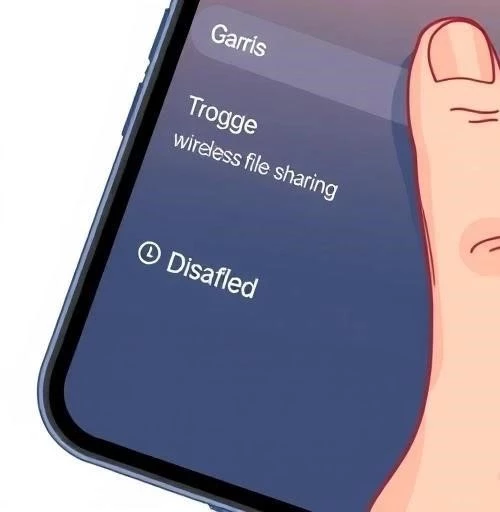
Huawei Share is a digital hand-off: it lets compatible Huawei phones, tablets and computers exchange files, mirror screens or connect with fewer taps. Handy when you want a photo to travel from phone to laptop; less appealing when you want your device to keep to itself. The good news is that you can switch the feature off without deleting files or unpairing everything.
The quickest route: Quick Settings
- Swipe down from the top of the screen to open the notification shade. Swipe down again to see the full Quick Settings panel.
- Find Huawei Share. If it is not visible, swipe through the tiles or tap the edit button (often a pencil icon) to look for it.
- Tap the tile to turn it off. A dimmed tile usually means the feature is disabled.
On some versions, the tile is hidden until you add it to the panel. If your phone has no Huawei Share tile, use Settings instead; the names and placement can vary slightly by model and software version.
The Settings route
- Open Settings.
- Look for More connections, Device connectivity, or a similarly named connections menu.
- Tap Huawei Share, then switch off the Huawei Share toggle.
On certain devices, you may find the option by searching for “Huawei Share” in the Settings search bar. That is often the fastest route when menus have been rearranged by an update.
Still discoverable?
Check the Huawei Share page for a separate visibility or device-discovery setting. Turn off options such as Huawei Share, Nearby Share or “visible to nearby devices” if your model shows them. Labels differ, so read the description beneath each switch. Turning off the main feature is usually enough; a visibility control may only limit who can find your device.
What switching it off changes
Your phone stops offering Huawei Share for quick transfers and related sharing functions. It does not erase photos, documents, or files already received. It also does not normally switch off Wi-Fi or Bluetooth for other uses, such as headphones, internet access or ordinary Bluetooth transfers. You can turn Huawei Share back on whenever you need it.
If the toggle seems to return
- Check that you switched off the feature itself, not just a visibility option.
- Restart the phone and revisit the setting to confirm its status.
- Install available system updates if the menu behaves unexpectedly.
- If this is a work-managed device, an administrator may control connection settings.
There is no need to disable NFC, Wi-Fi or Bluetooth just to turn off Huawei Share. Those are separate switches, and turning them off can interrupt other connections. If you only want to stop accidental transfers, keep the radios you use and disable Huawei Share alone.
A quiet phone, on your terms
Think of Huawei Share as a small digital doorway: useful when you open it, unnecessary when you do not. Tap its Quick Settings tile or switch it off in Settings, then check the visibility controls if you want extra privacy. Menu wording varies across Huawei models and EMUI or HarmonyOS versions, but the setting is reversible—and your files stay right where they are.


8 Comments. Оставить новый
I like the calm reassurance that switching Huawei Share off does not send your photos into a digital trapdoor. A clear, practical guide.
A useful little privacy map: the Quick Settings tile is the front door, while Settings is the side entrance when the tile has gone missing.
A tidy guide for anyone who wants their phone to stop waving hello to nearby devices without disrupting the rest of its connections.
Searching Settings for the feature name is the sort of shortcut that saves a morning and possibly a few dramatic sighs.
Clear, reassuring, and refreshingly free of tech panic. Even the hidden-tile problem gets a sensible escape route.
A small but welcome distinction between disabling sharing and hiding discoverability. Privacy controls are easier to trust when their jobs are explained.
The reminder that menu names shift between models is especially helpful. Phone settings can feel like a maze designed by a committee of magicians.
The article makes turning off a feature feel reversible and low-stakes—more like closing a window than bricking up the house.