
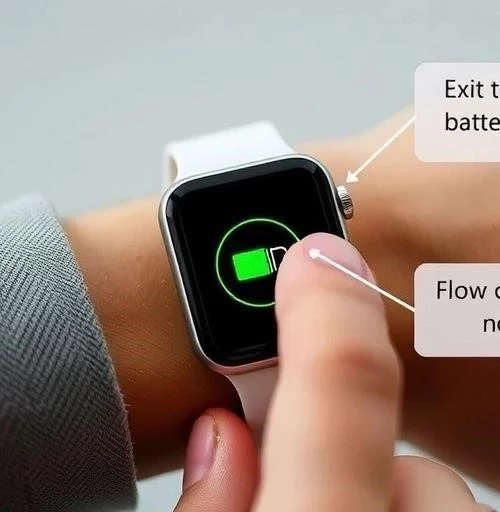
Apple Watch does not have a setting officially named “Eco Mode.” People usually mean either Low Power Mode, which limits some features to extend battery life, or Power Reserve, an older, more restrictive mode that shows only the time. The way to leave depends on what appears on your screen.
Turn off Low Power Mode
If the watch still shows your usual watch face and apps, but some functions are limited, Low Power Mode is probably on. On recent watchOS versions:
- Press the side button to open Control Center.
- Tap the battery percentage.
- Tap Low Power Mode to switch it off. Confirm if the watch asks.
On some watchOS versions, the battery control may look different. You can also open Settings on the watch, tap Battery, then select Low Power Mode and turn it off. If you enabled the mode for a set duration, check whether that duration has ended; otherwise, switch it off manually.
Exit Power Reserve
If the display shows only a clock and you cannot open apps, the watch may be in Power Reserve. Press and hold the side button until the Apple logo appears, then release it and wait for the watch to restart. This can take a little time. Do not keep pressing the screen or Digital Crown: they will not normally exit this mode.
If the watch does not restart, connect it to its charger and leave it charging for at least 30 minutes before trying the side-button method again. Power Reserve is intended to conserve the last remaining battery, so a deeply discharged watch may need to gain charge first. Use a working Apple Watch charger and check that its cable and power adapter are connected properly.
If the mode keeps returning
Low Power Mode can be enabled again manually, and the watch may suggest it when the battery is low. Turning it off restores normal operation, but it also increases battery use. If the watch repeatedly switches modes, charge it fully, review battery use in Settings > Battery, and check for a watchOS update in the Watch app on your iPhone. Restart both devices if the controls seem unresponsive.
Still stuck? Make sure you are holding the side button—not the Digital Crown—and hold it until the logo appears. If the screen remains frozen after charging and restarting, or the watch will not charge, contact Apple Support or an authorized service provider. Avoid repeated force restarts unless the watch is unresponsive; normal mode changes should not erase your data.

9 Comments. Оставить новый
The article balances practical steps with a useful reminder that turning off Low Power Mode will increase battery use. That context helps readers understand the trade-off instead of treating the mode as a fault.
The suggestions for a mode that keeps returning are useful, especially reviewing battery use and checking for updates. The article could also clarify that the watch should be charged before evaluating whether battery life has improved.
This is a concise guide that avoids implying there is an official setting called “Eco Mode.” Clarifying the term at the start is a good way to address the likely source of the question.
The distinction between Low Power Mode and Power Reserve is useful because the two can look very different in practice. The article makes it easier to choose the right steps based on what appears on the screen.
The explanation of Power Reserve is especially helpful: a clock-only display points readers toward restarting with the side button rather than trying screen or Crown controls that may not respond.
The instructions are clear and appropriately cautious. In particular, recommending a charger and time to recharge before retrying is a sensible step if the watch has run completely out of power.
The troubleshooting sequence is logical, moving from identifying the mode to trying the relevant exit method and then checking charging if needed. It would be even stronger if the final sentence were completed.
I appreciate that the article notes that menus can vary between watchOS versions. That qualification helps avoid confusion if a reader’s battery controls do not look exactly as described.
The advice to check the charger, cable, and adapter is practical because a charging issue could otherwise be mistaken for a mode problem. The steps are specific without being unnecessarily complicated.