
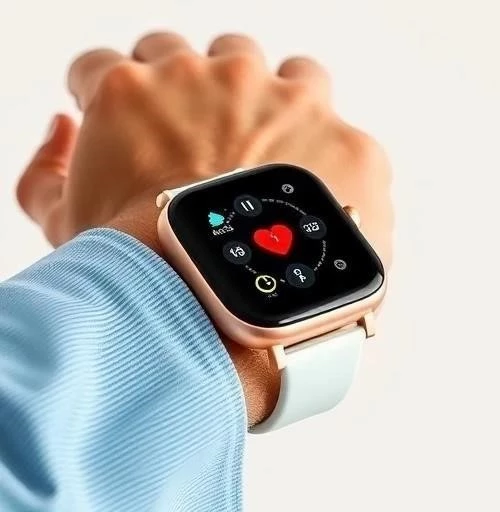
The Apple Watch Series 5 is a small instrument with a surprisingly large appetite for data․ It counts your steps, listens to your heartbeat through your wrist, follows your route across town, and notices when the room around you gets too loud․ But it is not a pocket-sized doctor—and knowing what it actually measures is as important as knowing what it can do․
Released in 2019, Series 5 has older hardware than today’s Apple Watch models․ Its measurements depend on its sensors, watchOS version, settings, and—in some cases—your country․ Here is a clear guide to the numbers it can collect, the estimates it makes, and the readings it cannot provide․
Heart and rhythm: the watch’s most personal measurements
Heart rate
An optical sensor on the back of the watch shines light into your skin and detects changes in blood flow․ From those changes, Series 5 estimates your heart rate in beats per minute․ It can take readings during workouts and at intervals throughout the day, then show them in the Heart app and in the Health app on your iPhone․
You can also enable notifications for unusually high or low heart rates when you appear to have been inactive․ These alerts are prompts to pay attention, not a diagnosis․ A watch may miss a reading or produce an odd one if it sits loosely, your skin is cold, or movement interferes with the sensor․
ECG and irregular-rhythm notifications
Series 5 includes an electrical heart sensor․ With the ECG app, you rest a finger on the Digital Crown for about 30 seconds while the watch records an electrocardiogram․ The result can classify the rhythm as sinus rhythm, possible atrial fibrillation, or inconclusive, depending on the recording and available features․
The watch can also look for signs of an irregular rhythm in the background and, when supported and enabled, notify you if it detects a pattern that may resemble atrial fibrillation․ These features are not available everywhere and are not designed to catch every episode․ An ECG from a watch is not the same as a full clinical ECG, and it cannot rule out a heart problem․ If you feel unwell, seek medical advice rather than waiting for a notification․
Movement, workouts, and the miles between them
Steps, activity, and calories
Using motion sensors, Series 5 estimates your steps, movement, distance, and active energy․ The familiar Activity rings turn some of that information into three daily goals: Move, Exercise, and Stand․ Move represents estimated active calories; Exercise tracks minutes of qualifying activity; Stand encourages you to get up and move during the day․
“Estimated” matters․ Calories are not measured directly: the watch calculates them using information such as your age, height, weight, heart rate, and movement․ Steps can be undercounted or overcounted, especially when your arm is still while you walk or moving while you do something else․ The rings are useful for patterns and motivation, not laboratory precision;
Workout data and GPS
Choose a workout and the watch can record its duration, heart rate, active calories, and other activity-specific details․ Built-in GPS can map outdoor routes and estimate pace and distance without carrying your iPhone․ For indoor sessions, it relies more heavily on motion and calibration․ The barometric altimeter can register changes in elevation, such as stairs climbed or hills covered․
For some workouts, the Health app can use your heart-rate and activity history to estimate cardio fitness, commonly expressed as VO₂ max․ It is a useful way to follow a long-term trend, but it is not a direct measurement from a breathing test․ A short walk, poor GPS signal, or incomplete personal details can affect the estimate․
Sleep, sound, and your surroundings
Sleep and breathing
With compatible software and settings, Series 5 can track time asleep and show a sleep schedule․ It may also record respiratory rate during sleep, meaning estimated breaths per minute․ These features describe patterns; they do not diagnose insomnia, sleep apnoea, or another sleep disorder․ Sleep-stage tracking familiar from newer Apple Watch generations should not be assumed to be a Series 5 feature․
Noise and elevation
The Noise app uses a microphone to estimate environmental sound levels in decibels and can warn you when prolonged exposure may be harmful․ It does not save or record conversations for this measurement․ The altimeter, meanwhile, estimates elevation above sea level and changes in altitude—handy for a hike, a staircase, or simply seeing how much the landscape has shifted beneath your feet․
What Series 5 does not measure
- Blood pressure: It does not give systolic or diastolic readings․ Use a properly validated cuff-based monitor for blood-pressure measurements․
- Blood oxygen: Series 5 has no blood-oxygen sensor, so it cannot measure SpO₂․
- Body temperature: It has no temperature sensor for wrist temperature or temperature-based cycle insights․
- Blood glucose: It cannot measure glucose from your wrist․
Those distinctions matter because newer Apple Watch models and other wearables may offer features that Series 5 does not․ A software update can add or change functions, but it cannot turn missing hardware into a sensor․ Nor should a wellness feature be confused with a medical instrument․
How to get readings worth keeping
- Wear the watch snugly above your wrist bone, especially during exercise, without making it uncomfortably tight․
- Keep your height, weight, age, and other Health details current; estimates depend on accurate inputs․
- Allow a little time for calibration and keep the watch and iPhone software updated where possible․
- Compare trends over days or weeks rather than treating one surprising number as a verdict․
In short, Apple Watch Series 5 measures or estimates heart rate, selected heart-rhythm information, movement, workouts, steps, distance, elevation, environmental noise, and—when supported by software—some sleep-related data․ It is best thought of as a pocket-sized observer: helpful at spotting patterns, excellent at nudging you into motion, and honest only when its limits are understood․ For symptoms, diagnosis, or treatment decisions, bring the data to a healthcare professional, not the other way around․
5 Comments. Оставить новый
This is a welcome antidote to the “wrist-sized doctor” myth. I especially like how it treats every reading as a useful clue, not a verdict carved into glass.
The strongest part is its quiet honesty about uncertainty: a loose fit, cold skin, or a busy arm can turn a neat number into a small mystery.
I appreciated the distinction between measuring and estimating. The watch may gather signals, but the article reminds readers not to mistake a dashboard for a diagnosis.
This reads like a map for navigating health data without getting lost in it—practical, grounded, and refreshingly careful about what the watch can’t promise.
A clear guide with an unexpectedly human message: technology can help us notice patterns, but it cannot replace paying attention to how we feel.