
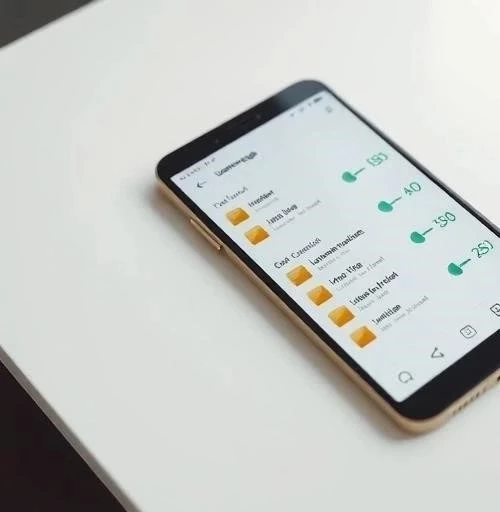
On many Xiaomi and Redmi phones‚ call recordings are saved in the phone’s internal storage. The location depends on the dialer app‚ MIUI or HyperOS version‚ and regional software. A common folder on devices using Xiaomi’s built-in dialer is Internal storage/MIUI/sound_recorder/call_rec/. Recordings may appear as audio files with names or dates that help identify the call.
Find recordings with File Manager
- Open the Xiaomi File Manager app‚ or another file-management app.
- Choose Internal storage or Phone storage‚ rather than an SD card‚ unless you changed the save location.
- Open
MIUI‚ thensound_recorder‚ thencall_rec; - Tap an audio file to play it. If prompted‚ select an audio player.
If the folders are not visible‚ check the file manager’s settings for an option such as Show hidden files. The exact setting name varies by app. You can also use the file manager’s search function and search for call_rec‚ or look for recently created audio files. Avoid moving or renaming files until you have confirmed that they play and‚ if needed‚ made a backup.
Check the Phone app and call history
On some models‚ recordings are easier to access from the Phone app than from a folder. Open the call history‚ select the relevant call or contact‚ and look for a playback or recording option. The label and layout differ between software versions. A recording may be linked to a particular call in the app even when the file manager does not display it in the expected location.
Newer Xiaomi phones and some regional versions use Google’s Phone app instead of Xiaomi’s dialer; In that case‚ recordings may be managed through the Phone app and may not be stored in the public MIUI/sound_recorder/call_rec/ folder. Some Android versions keep app data in protected storage. A path sometimes mentioned for Google Phone is /data/data/com.google;android.dialer/files/callrecording‚ but ordinary file managers generally cannot open this private directory. Root access is not a recommended way to retrieve recordings; it can reduce device security and cause data loss.
If the folder is empty
- Confirm that call recording was enabled and that the call was actually recorded. Turning it on does not restore earlier calls.
- Check the Phone app’s call history and recording settings‚ including any option to play or manage saved calls.
- Search internal storage for audio files created around the date of the call. The folder or file naming scheme can vary.
- Check whether the selected storage location is an SD card or another folder.
- Consider whether recordings were deleted‚ cleared by a cleanup tool‚ or removed when app data was cleared.
Recordings made with a separate call-recording app may be saved elsewhere‚ such as a folder named CallRecordings. Open that app’s settings to check its storage location; do not assume that every Xiaomi phone uses the same directory.
Keep recordings safe
To preserve a recording‚ copy it to a computer or a trusted backup location. Keep in mind that cloud backup and file synchronization settings differ by device and service. Call recordings can contain sensitive information‚ so restrict access and follow applicable consent and privacy laws before recording or sharing a conversation.
In brief: first check Internal storage/MIUI/sound_recorder/call_rec/‚ then check the Phone app’s call history. If neither shows the recording‚ the dialer version‚ Android storage restrictions‚ or recording settings may explain why the familiar folder is unavailable.



2 Comments. Оставить новый
The article clearly explains the common folder location for call recordings and notes that storage paths can vary by dialer and software version. The file manager and Phone app instructions provide useful ways to check.
The guidance appropriately distinguishes Xiaomi’s dialer from Google Phone and cautions that some app data is stored in protected folders. Checking playback and making a backup before changing files are practical suggestions.