
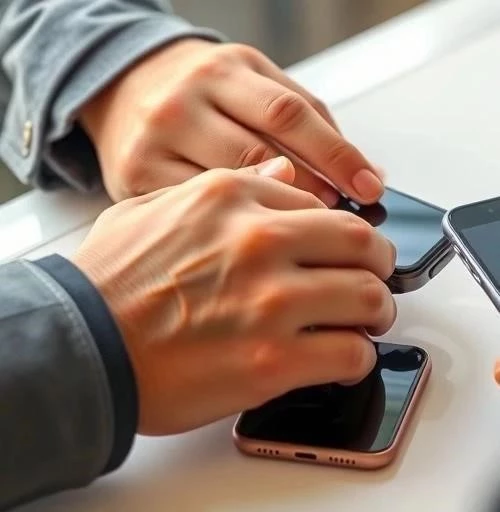
A used Apple Watch can be a good deal, but only if it is genuine, functional, and ready to pair with your iPhone․ Inspect it in person, test its main features, and do not pay until the seller has removed their account and Activation Lock․
Check the model and condition
Ask for the exact model, case size, connectivity type (GPS or GPS + Cellular), and generation․ Compare these details with the watch and its box, if available; a box alone does not prove authenticity․ Confirm that the model works with your iPhone and current iOS version․ Check the case, screen, back glass, and Digital Crown for cracks, deep dents, gaps, or signs of repair․ Small scratches may be cosmetic, but a damaged display can be expensive to replace․
Confirm it can be activated
Ask the owner to unpair the watch using the Watch app and remove it from their Apple Account․ Then erase it and begin setup with your iPhone․ Do not buy if setup requests the previous owner’s Apple Account: Activation Lock is still on, and only that owner can remove it․ A seller’s promise to unlock it later is not enough․ If possible, complete pairing before paying․
Test the hardware
- Display: Check brightness, touch response, dead pixels, and the always-on display if the model supports it․
- Controls: Turn the Digital Crown, press the side button, and test gestures and the touchscreen․
- Sound and connection: Test the speaker, microphone, Bluetooth pairing, Wi-Fi, and notifications․
- Health features: Open the Heart Rate app and check available sensors․ Features vary by model; a quick test cannot certify medical accuracy․
- Cellular: For a cellular model, check that it is not tied to an unpaid plan and ask the carrier whether it can be activated․
Check battery and charging
On the watch, open Settings > Battery > Battery Health and review Maximum Capacity․ Lower capacity means shorter time between charges; ask how long the watch lasts in normal use․ Bring a compatible charger and confirm that charging starts reliably․ A hot watch, swollen case, or battery warning is a reason to walk away․
Ask about history and accessories
Request proof of purchase, repair records, and details of any water exposure․ Apple Watch is water-resistant, not waterproof, and resistance can diminish with age or damage․ Do not rely on a water test․ Check that the band fits securely and that the charger is included or priced into your offer․ Compare the seller’s price with similar watches in the same condition․
Before you pay
Meet somewhere safe, inspect the watch in good light, pair it, and get a receipt showing the model, serial number, price, and sale date․ You can check the serial number in Settings and compare it with the case information, but a matching number alone does not prove ownership or condition․ Walk away if the seller rushes you, refuses testing, or cannot remove Activation Lock․ A careful check is worth more than a bargain․

8 Comments. Оставить новый
The distinction between cosmetic wear and damage that could require costly repairs is useful. Checking the exact model and iPhone compatibility is smart advice, too.
This article covers more than appearance and price—it reminds readers to test controls, sound, connections, and charging. Those details matter with second-hand electronics.
This is a practical guide for avoiding the biggest risks when buying a used Apple Watch. The Activation Lock reminder is especially important.
Helpful guidance for first-time used-watch buyers. I appreciate the note that checking a health feature does not prove medical accuracy.
The warning about Activation Lock is essential. A buyer should walk away if the seller cannot remove their account and let the watch be set up.
I like that the article recommends testing the watch before paying rather than relying on the seller’s assurances. That could save buyers a lot of trouble.
A clear, sensible checklist for shoppers. The advice to complete pairing before handing over payment stands out as a particularly helpful safeguard.
A useful and easy-to-follow overview. Bringing a compatible charger and checking battery health are simple steps that can reveal potential problems before purchase.